User/Kernel mode

Memory Access Permissions in Windows User mode and Kernel mode#

Background#

On July 19, 2024, many computers worldwide using Windows experienced a blue screen issue.
A blue screen on Windows indicates a critical error that requires a computer reboot.
This led to a paralysis of crucial systems including businesses, public organizations, and airports as they went down.
The cause is said to be a flaw in a widely used security software.
Typically, common software rarely triggers a blue screen problem.
What was different about this security software that caused the blue screen issue?
Let’s explore and find out.
How to Install WSL

How to Install WSL (Windows Subsystem for Linux)#

This guide explains how to install Linux on Windows.
The WSL (Windows Subsystem for Linux) feature has been built into Windows since Windows 10.
The installation is simple, and you can conveniently use Linux as a virtual environment alongside Windows.

The instructions are based on Windows 11 Home (24H2).
We will install Ubuntu as the Linux distribution.

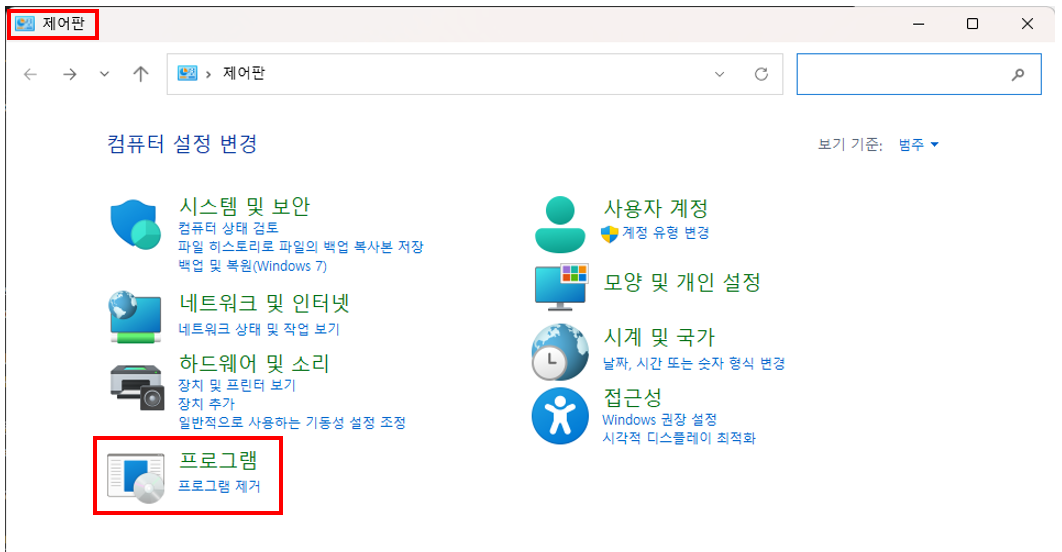
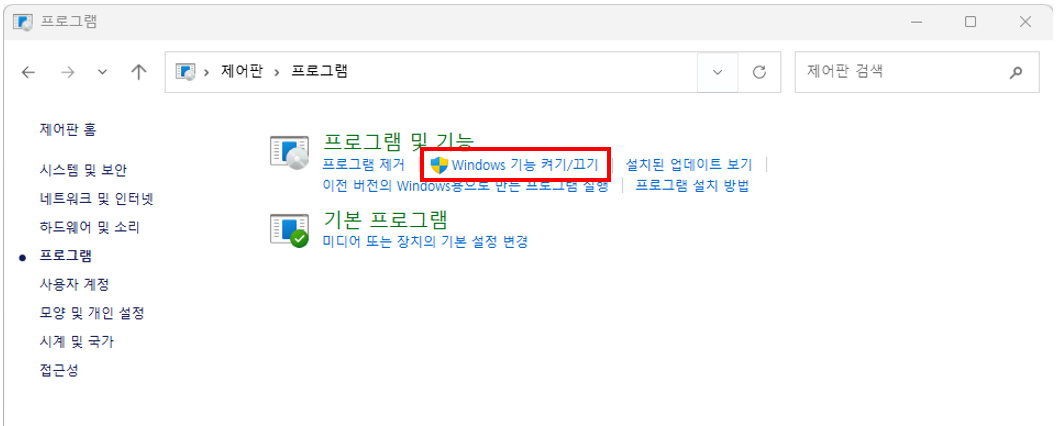
1. Open [Control Panel] -> [Programs] -> [Turn Windows features on or off]#

Entering Programs menu from Control Panel Location of Turn Windows features on or off menu

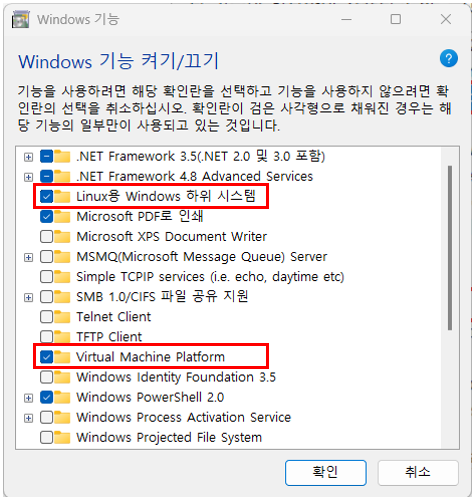
2. Check “Windows Subsystem for Linux” and “Virtual Machine Platform” -> Confirm -> Reboot#

Checking Windows Subsystem for Linux and Virtual Machine Platform

※ Depending on your computer environment, you may also need to check the following items:
   “Hyper-V”, “Windows Subsystem for Linux”, “Windows Hypervisor Platform”