Install and Hello world

Install Rust and Print Hello world#

Install Rust#

Download and run the installation program from the official Rust website.
The installation process is simple.

Hello world#

Let’s create a program that prints a simple message.
I create a file named code1.rs in the path D:\works\rust\practice1, and write the following code.

fn main() {
    println!("Hello, semonan.com");
}
  • Rust starts with main().
  • Functions are created using the fn keyword.
  • Messages can be printed using println!("~~~");.
  • The ! in println!() indicates that a Rust Macro is being invoked.
  • Rust uses 4 spaces instead of a tab, so there are 4 spaces before println!().
  • A line of code like println!("~~~"); ends with ;. (There are cases where it does not end with ; syntactically, so use it appropriately depending on the situation.)
     

Let’s compile the source code.
The compiler for Rust is rustc.
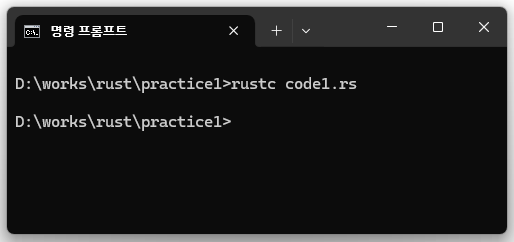
To compile, type the command rustc code1.rs in the directory where the source code file is located.
Variability of variables

Variability of variables#

let#

In Rust, you declare variables using the let keyword as follows.

fn main() {
    let apple = 10;
}

However, since let is fundamentally immutable, trying to change the value of apple as shown below will result in an error.

fn main() {
    let apple = 10;
    apple = 20;
}
error[E0384]: cannot assign twice to immutable variable `apple`

let mut#

To modify a value, you need to use the let mut keyword as follows.
Here, mut stands for mutable.

Data type

Data Type#

Every value in Rust has a Data type.
Since Rust is a statically typed language, the Data type must be determined at compile time.

1. Scalar type#

A Scalar type represents a single value, and there are four kinds of Scalar types.

1.1 integer#

The integer type is used for whole numbers and cannot include decimal points.
The kinds of integer types are shown in the table below.

Function

Function#

Function Definition#

Functions are created using the fn keyword as follows.
There is no need to consider the order in which functions are defined, as long as they are defined somewhere within a scope.
Therefore, in the example code below, the hello() function is located after the main() function, and it compiles and runs correctly.

fn main() {
    hello();
}

fn hello() {
    println!("hello");
}

Parameter#

You can pass parameters when calling a function, as shown in the following example code.
The add function can take two parameters, a and b, both of type i64.
You must declare the type of each parameter, like i64, when receiving them in a function.
You can pass multiple parameters.

Slices of collections

String Slicing#

String Slicing Syntax#

Rust provides convenient syntax for slicing strings.
Let’s explore this through the following code.

fn main() {
    let s = String::from("hello world");
   
    println!("{}", &s[0..5]);
    println!("{}", &s[6..11]);

    println!("{}", &s[..5]);
    println!("{}", &s[6..]);

    println!("{}", &s[..]);
}

By coding &s[0..5], you can slice out "hello".
Here, 0 means the start index, and 5 means the end index + 1.
(Note that you use the end index + 1.)
By coding &s[6..11], you can slice out "world".

struct

struct#

Basic usage of struct#

Let’s learn how to use Structs in Rust.
The struct Person { ~~~ } part in the following example defines a struct.
The Person struct has the fields name, age, and is_student, and each field has its type defined.

struct Person {
    name: String,
    age: i32,
    is_student: bool,
}

fn main() {
    let mut person = Person {
        name: String::from("semonan.com"),
        age: 12,
        is_student: true,
    };
    println!("{}, {}, {}", person.name, person.age, person.is_student);

    person.age = 13;
    println!("{}, {}, {}", person.name, person.age, person.is_student);
}

A struct must be instantiated to be used, as shown with let mut person = Person { ~~~ }.
In the example above, the instance is created as mutable so that the values of each field can be changed.
You can read the values of the struct with code like person.name, person.age, person.is_student.
You can change a value with code like person.age = 13;.

struct method

struct method#

What is a method?#

A method is essentially the same as a function, except that it is included within a struct.
Let’s learn how to define a method.
In the following example, a Person struct is defined as struct Person { ~~~ }.
In impl Person, impl stands for implementation.
The functions created inside impl { ~~~ } are methods.
A method is created with fn speak(self) { ~~~ }, where self is taken as the first parameter.
self refers to the struct itself, struct Person.
The first parameter of a method must be self; otherwise, a compile error will occur.
The line println!("hi, {}", self.name); prints self.name.
Here, self.name refers to name: String inside struct Person { name: String, }.
After creating an instance with let person = Person{ ~~~ };, you can call the method with person.speak().