
How to Install WSL (Windows Subsystem for Linux)#
This guide explains how to install Linux on Windows.
The WSL (Windows Subsystem for Linux) feature has been built into Windows since Windows 10.
The installation is simple, and you can conveniently use Linux as a virtual environment alongside Windows.
The instructions are based on Windows 11 Home (24H2).
We will install Ubuntu as the Linux distribution.
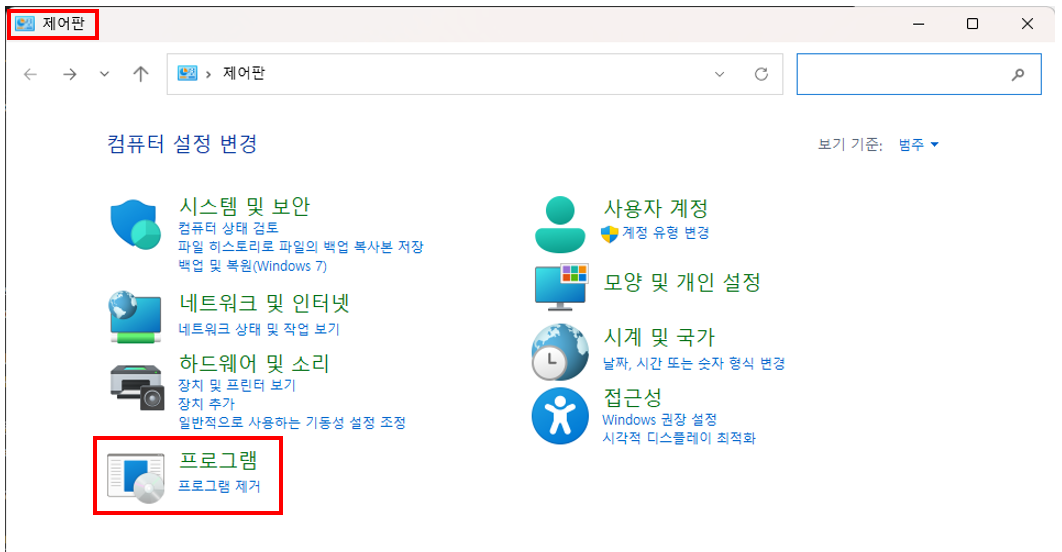
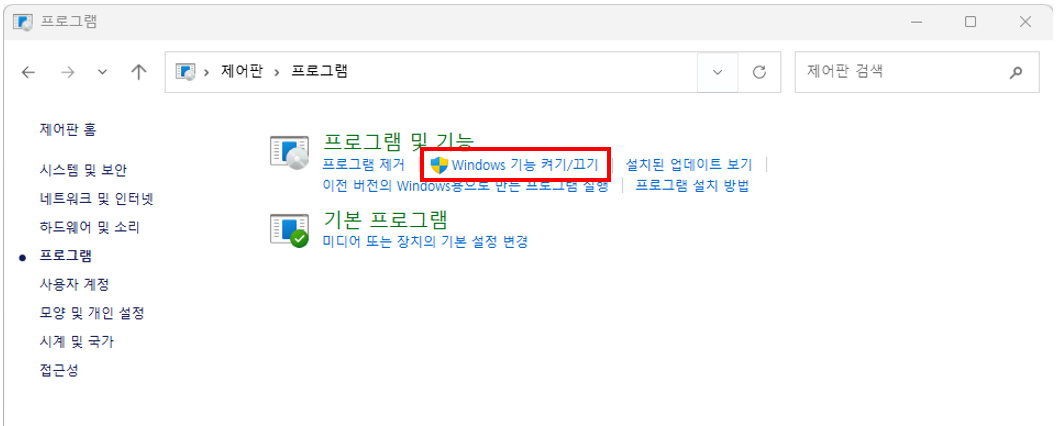
1. Open [Control Panel] -> [Programs] -> [Turn Windows features on or off]#
2. Check “Windows Subsystem for Linux” and “Virtual Machine Platform” -> Confirm -> Reboot#
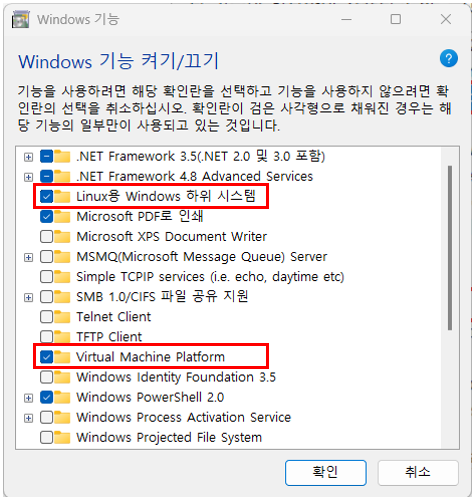
※ Depending on your computer environment, you may also need to check the following items:
“Hyper-V”, “Windows Subsystem for Linux”, “Windows Hypervisor Platform”