Applying Colors to the VI Editor on Mac OS#
Problem#
On Mac OS, the default color scheme for vim is not configured, so readability is poor as shown below.
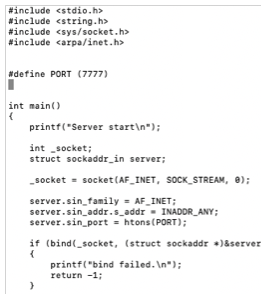
Let’s configure a vim color scheme to improve readability as shown below.
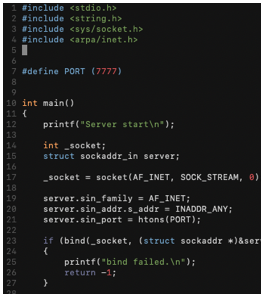
How to Configure#
Create a .vimrc file as follows.
% cd ~/
% mkdir .vim
% cd .vim
% git clone https://github.com/rafi/awesome-vim-colorschemes
% cd awesome-vim-colorschemes
% mv colors ../
% cd ~/
% vim .vimrc
Add the following content to the .vimrc file.
" Syntax Highlighting
if has("syntax")
    syntax on
endif
set autoindent
set cindent
set nu
colo jellybeans
set laststatus=2
set statusline=\ %<%l:%v\ [%P]%=%a\ %h%m%r\ %F\
You can use various color schemes by entering a file name from ~/.vim/colors/*.vim after colo on line 8 of the code above.